
A Guide on Contextual Security Analysis
A Positive Change for Our IndustryDryRun Security Co-founders James Wickett and Ken Johnson have created a guide for a new approach to DevSecOps: Contextual Security Analysis (CSA).
“Right now, we have 12 to 15 security tools that run in our pipeline, causing the build to take hours on end.”
It's ideal for modern applications, which are often distributed, microservices-based, and rely heavily on APIs and third-party components.
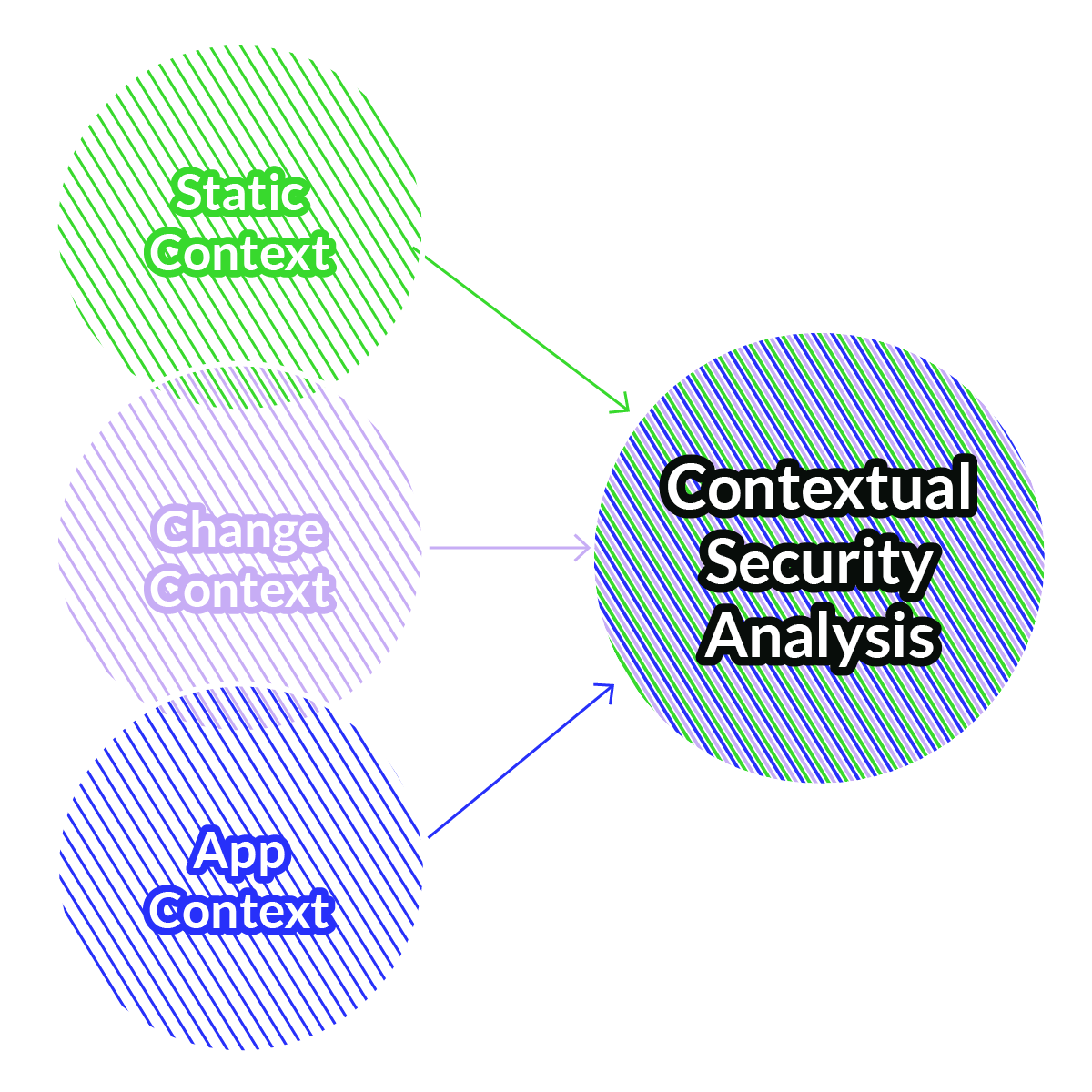
• fits naturally in an organization practicing DevOps
• prioritizes reducing security tool pressure on developers
• makes it easy for developers to reason about security
Download the guide to find out more about how to:
.webp)
DryRun isn't your normal SAST, it's your dedicated secure code review agent who is never too busy for a security review. DryRun enables busy security professionals by screening out the noise, providing direct feedback to engineers where they work, and working as a force multiplier for AppSec teams.
.webp)
Product Security Engineer
,
Tines
"At Commerce, we’re building AI-driven shopping experiences, and agentic checkouts are changing everything. We chose DryRun because OWASP LLM app risks are all about context, and we wanted to build security in from day one. DryRun outperformed every other tool we tested by far, and its contextual security analysis actually understands our code the way our engineers do.”
.webp)
Manager
,
Application Security Engineering, Commerce
“As we lean harder into AI-generated code and highly customized delivery environments for our customers, we need more than a traditional code scanner. DryRun Security lets us continuously understand and explain the security posture of what we’re building, internally and for Fortune 50 clients, in a way that actually maps to how modern engineering teams work. The combination of real-time, context-aware analysis and MCP capabilities gives us a path to turn raw findings into customer-ready artifacts and ongoing assurance. For us, DryRun Security is less ‘AI code review’ and more a core piece of how we’re building an AI-first security program going into 2026 and beyond.”
.webp)
Vice President Security
,
Invisible Technologies
With DryRun Security, it feels like we’ve more than doubled our AppSec team. We can focus on the pull requests that truly matter, thanks to Code Insights. What’s more, our developers get instant, actionable guidance on writing secure code — it’s like having a security coach in every pull request. The tool has transformed how we approach application security, scaling our efforts without adding headcount or slowing development.
.webp)
Application Security Architect
,
BrightHR
It's hard to imagine writing code at startup speed without it now.

Founder
,
Stealth
With DryRun Security, we’ve transformed how we manage application security across our global development team. The GitHub integration ensures that our developers get precise and instant feedback directly in their workflow, enabling them to fix security issues without skipping a beat. The tool has not only helped us catch risks like hardcoded credentials early but has also fostered a culture of security among our developers. DryRun Security is an indispensable part of our AppSec toolkit.
.webp)
CTO
,
PlanetArt
As the Director of Operations and Security of a successful tech startup, I wear many hats. With DryRun Security's out-of-the-box analyzers, I’ve found I no longer have to read through 40 PRs a day to find the two that are doing something unexpected. This is how I was able to identify sub-domain registration code that was going to allow a non-compliant domain, which would have taken down our DNS database for our whole customer base.

,
SimpleRose
I love seeing how their contextual analysis upends a lot of assumptions I had burned into my brain about the limits of automation. There are whole classes of vulnerabilities I used to dogmatically say required humans to detect that they are able to identify and that’s super-cool. It is rare that I’m so happy to be wrong.

CTO
,
Denim Group
We've been using the DryRun Security app for months, and we highly recommend it! It automatically evaluates every GitHub pull request, so we know the solutions we're delivering to our clients are covered, plus the results are wicked fast and fit our development team’s needs.
%20(1).jpg)
CTO
,
Cloud Security Partners
We’re a leading open-source application security team with lots of community support, and because of that growth, sometimes code reviews can get complicated. Using DryRun Security, I've found the allowed authors feature helpful as it flags sensitive file changes in pull requests submitted by the committers who aren't approved to change certain parts of the codebase. One of the other things I love about it is how we could quickly get up and running in just a couple of minutes.
%20(1).png)
CTO
,
Defect Dojo
FAQs
Review and prioritize the highest-risk issues
Within a few hours you’ll get the results and if you want, one of our top appsec experts will review the top issues with you and a provide a practical path to remediation. That’s it, no strings attached.
Run DeepScan Agent on your codebase
You kick off the scan from the dashboard. We monitor progress and handle any issues should they come up (don’t worry, they won’t!).
Connect your repo
You perform a 5-minute install in the GitHub or GitLab app for your repo(s). We’ll walk through permissions and keep the process simple.
Meet with a DryRun Security expert
Short discovery call to confirm repo scope and what you want to learn (auth, business logic, secrets, or all three).
When should I use a DeepScan Agent review instead of a PR review?
Use it when you need broader coverage, for example onboarding a repo, preparing for an audit, after major refactors, before a release, orwhen developers introduce a new language.
Many teams run DeepScan on a cadence per production repo (monthly/quarterly), at key release checkpoints, or when risk changes, for example after big dependency updates or major architectural changes.